
The Emacs Cat has an informative post on his Ibuffer Configuration. Although it’s built in, ibuffer isn’t enabled by default so you have to load it with require, use-package, or whatever you use for such things. It’s a nice replacement for the default list-buffers.
The Emacs Cat uses ibuffer to group his buffers logically. For example, all his C/C++ buffers, all his Python buffers, and so on are grouped together. That makes it easy to locate relevant buffers and keep things organized if you have a lot of buffers open. He also integrates icons (via all-the-icons-ibuffer) to make it easy to distinguish buffers. See his screenshot to get an idea of what it looks like.
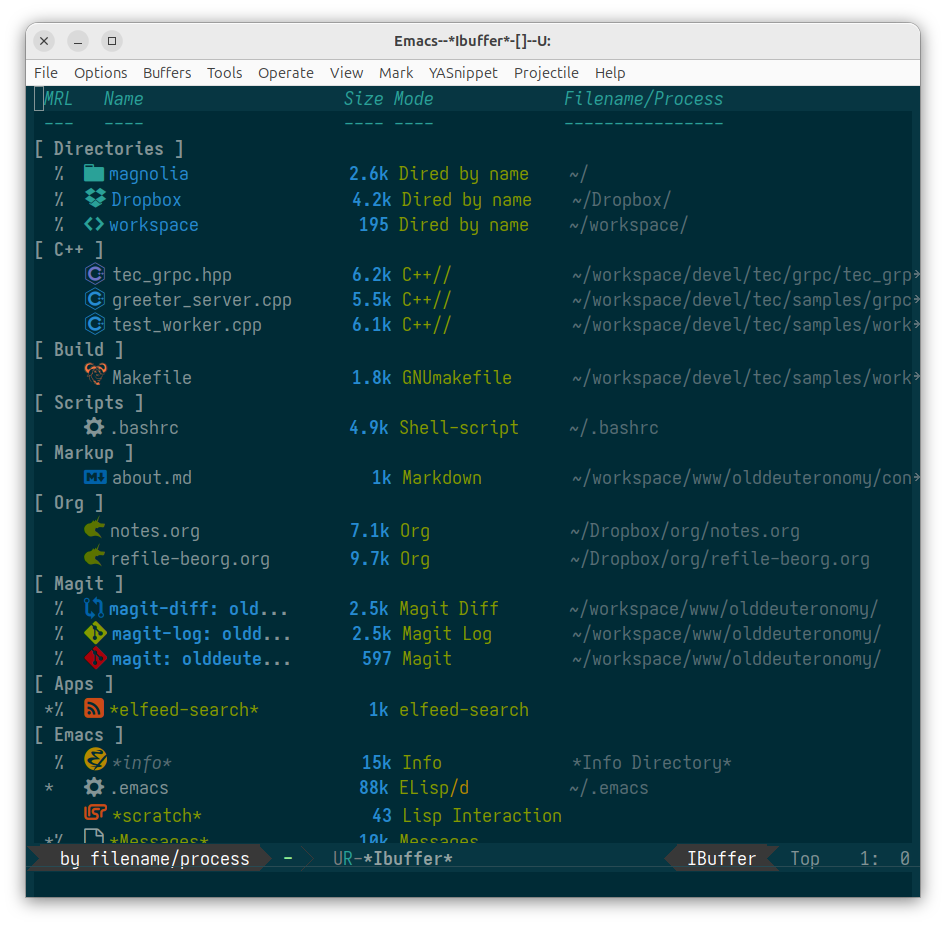
I do something similar. I don’t care for icons in my listings so I skipped that step and I use the ibuffer-vc package, which also groups packages but collects them according to their version control (magit, in my case) category.
All-in-all it makes looking for buffers easier and helps you stay organized. The Emacs Cat uses the buffer listing a lot more than I do so he has F5 as a shortcut for it.
He also mentions Charles Choi’s Casual Ibuffer that he uses to provide a transient menu for the ibuffer listing. If your buffer listings are long, this can be a big help in adjusting the listing dynamically for your current needs.
If you use buffer listings, you should definitely take a look at the Emacs Cat’s post. He’s got a lot of good ideas.